Accessing files and emails on Android
In this section, we'll learn how to access Seclore files and emails on their Android devices.
- You can now enjoy a simplified, one-click access experience for opening protected emails online.
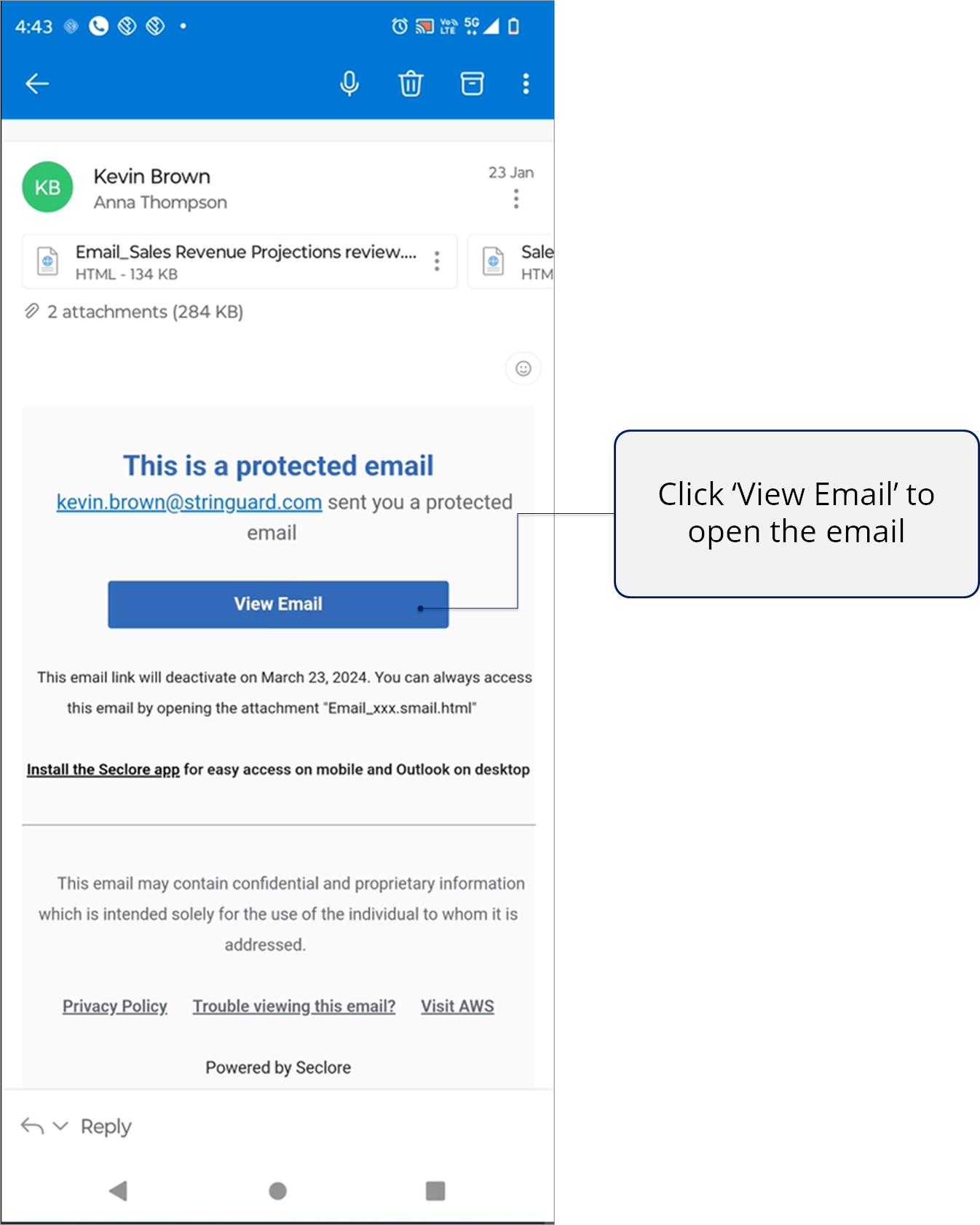
- The protected email body can be accessed through a link presented as the 'View Email' button.
- Clicking on this button will open the email body in the Secure Email viewer, accessible through desktop browsers and the Seclore Mobile App.
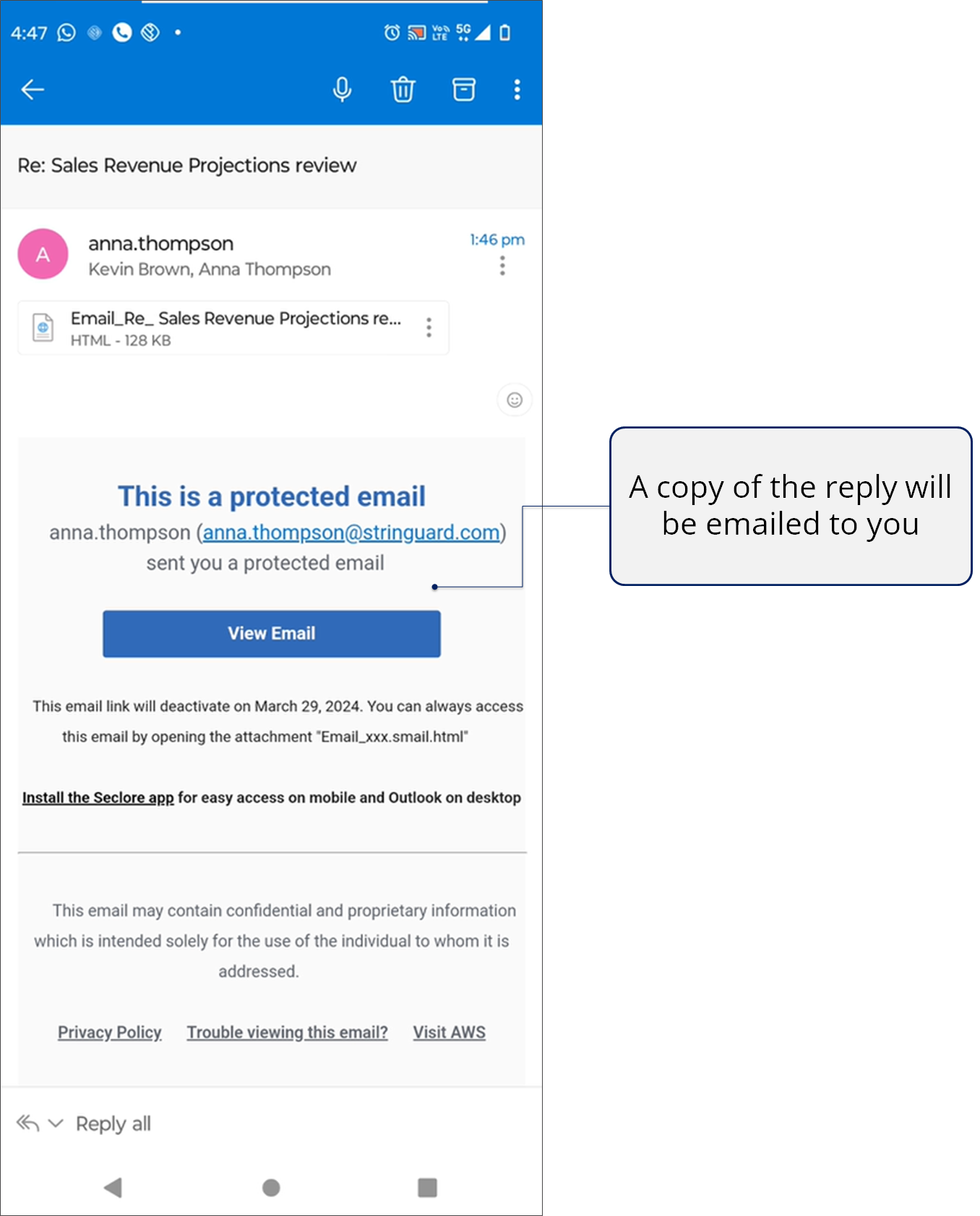
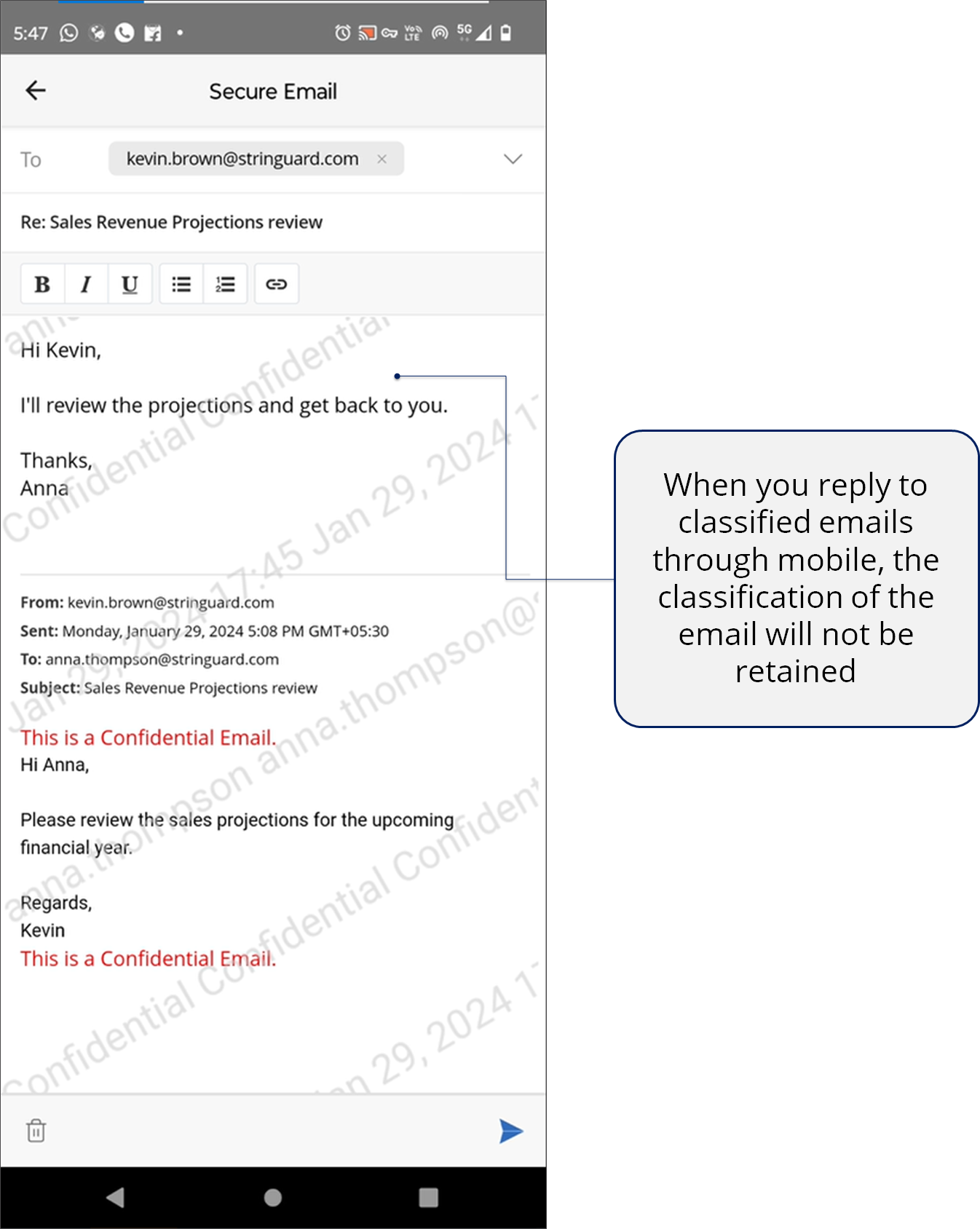
- You can also reply to the email using our Secure Email Viewer.
- When you reply to classified emails from the Secure Email Viewer, the classification of the email will not be retained.
- You must be signed in to Seclore.
Get started.
Accessing a Seclore email
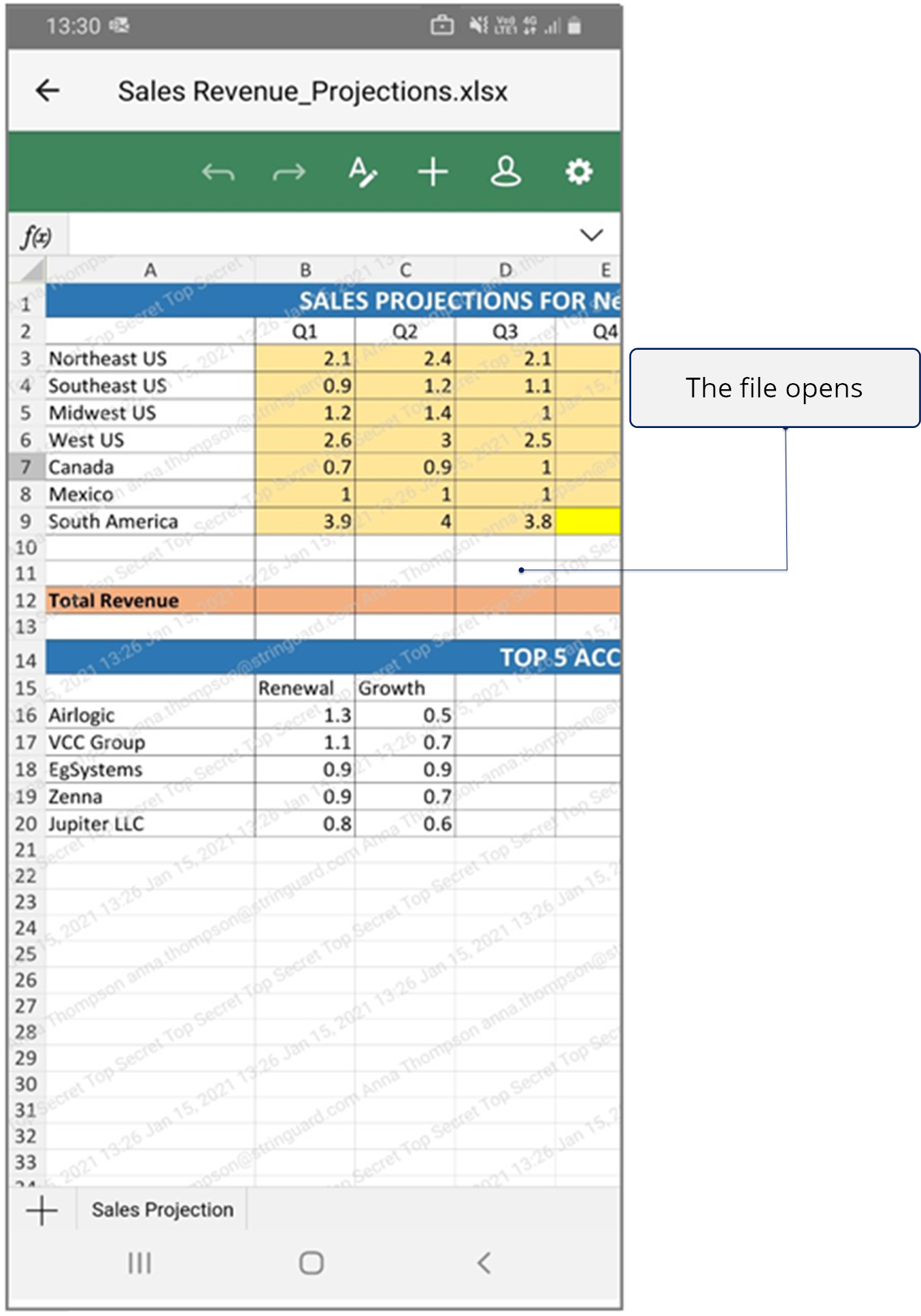
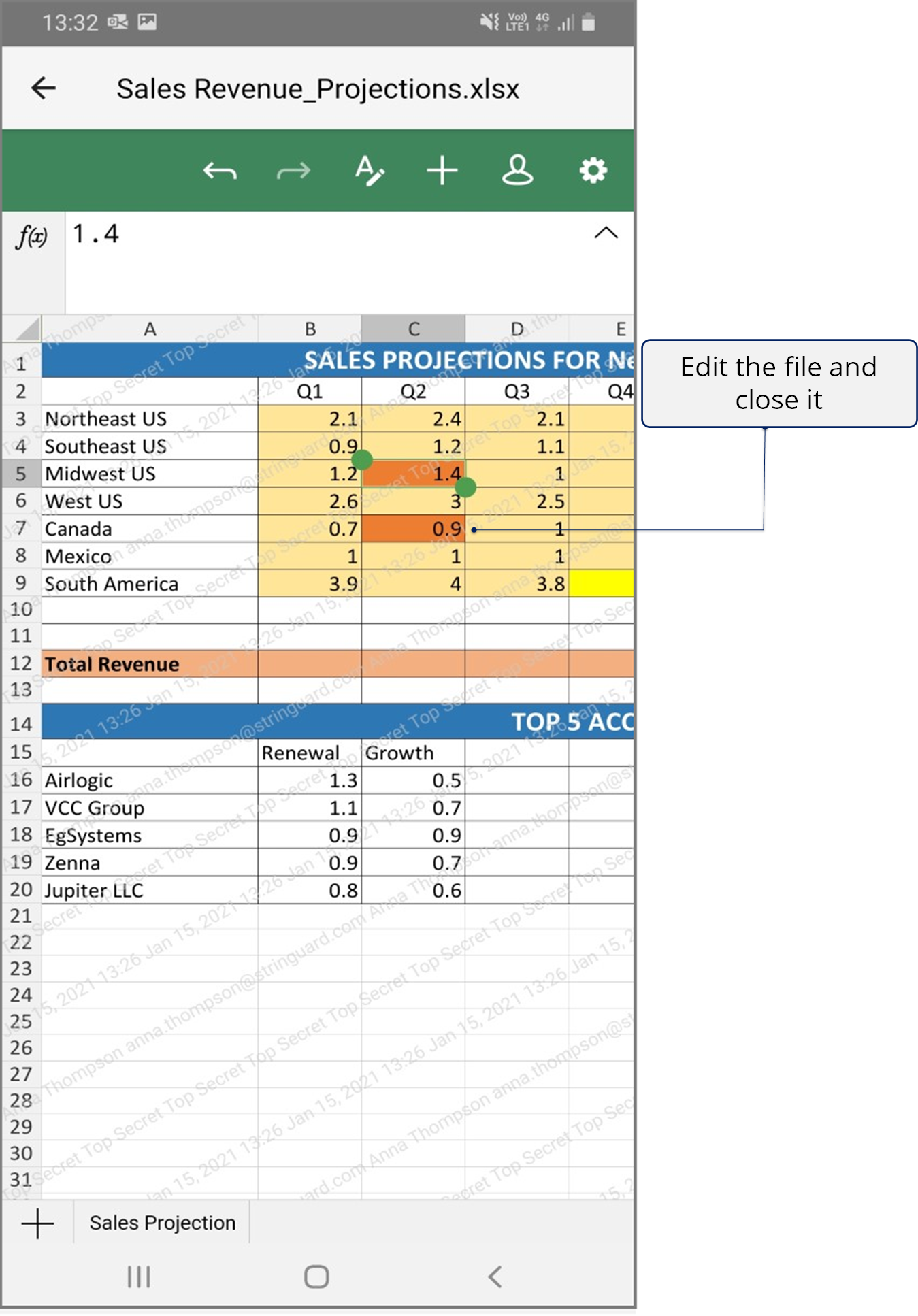
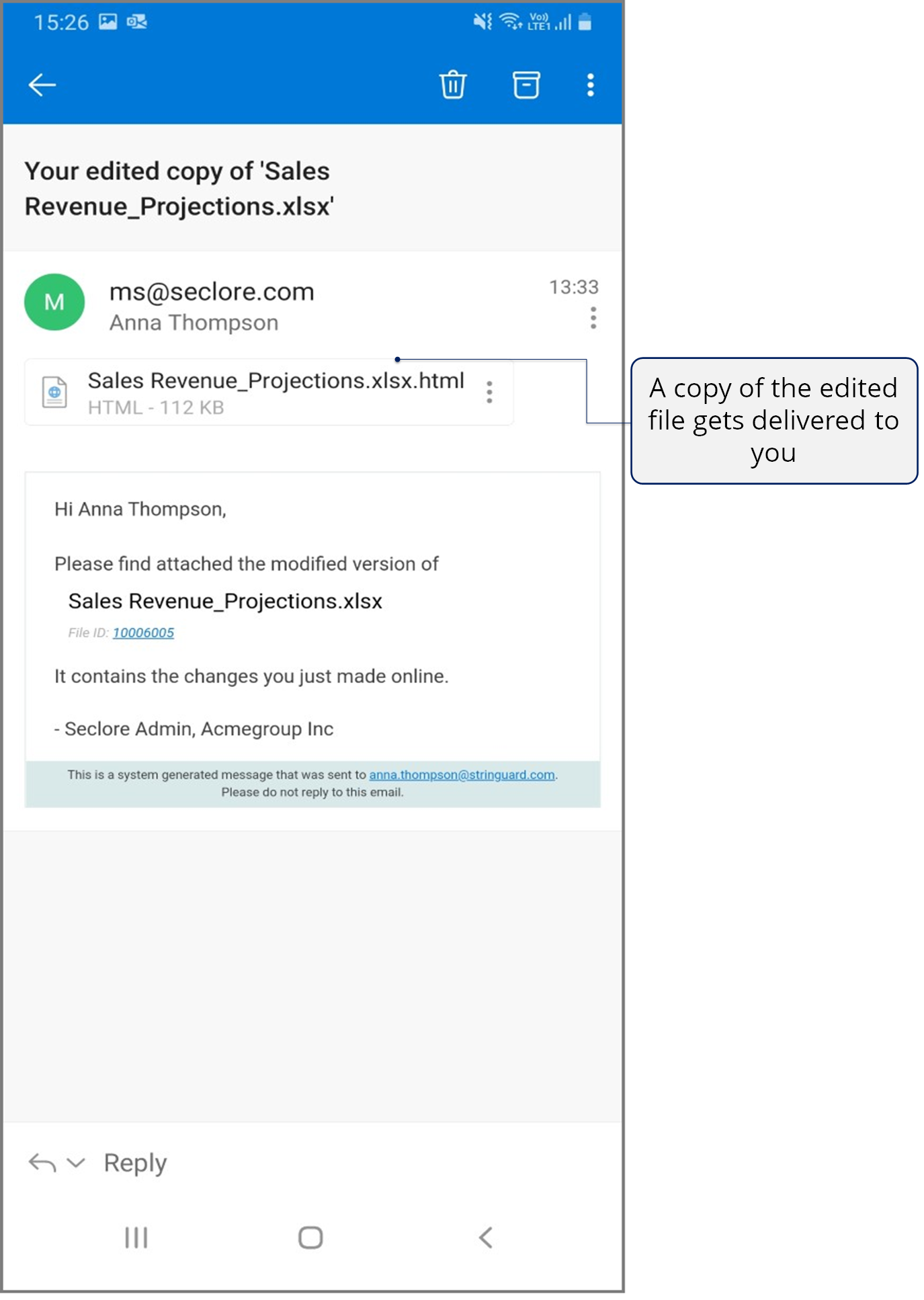
Accessing a Seclore file
Accessing a Seclore email
What you need
- An Internet connection.
- The Seclore app installed on your Android phone or tablet. If you don't have the app, install it now.

- If you need help signing in, see Signing in to Seclore.
Step-by-step

.png)
*If you don't have the Seclore app installed on your Android phone, you'll be asked to install it now.
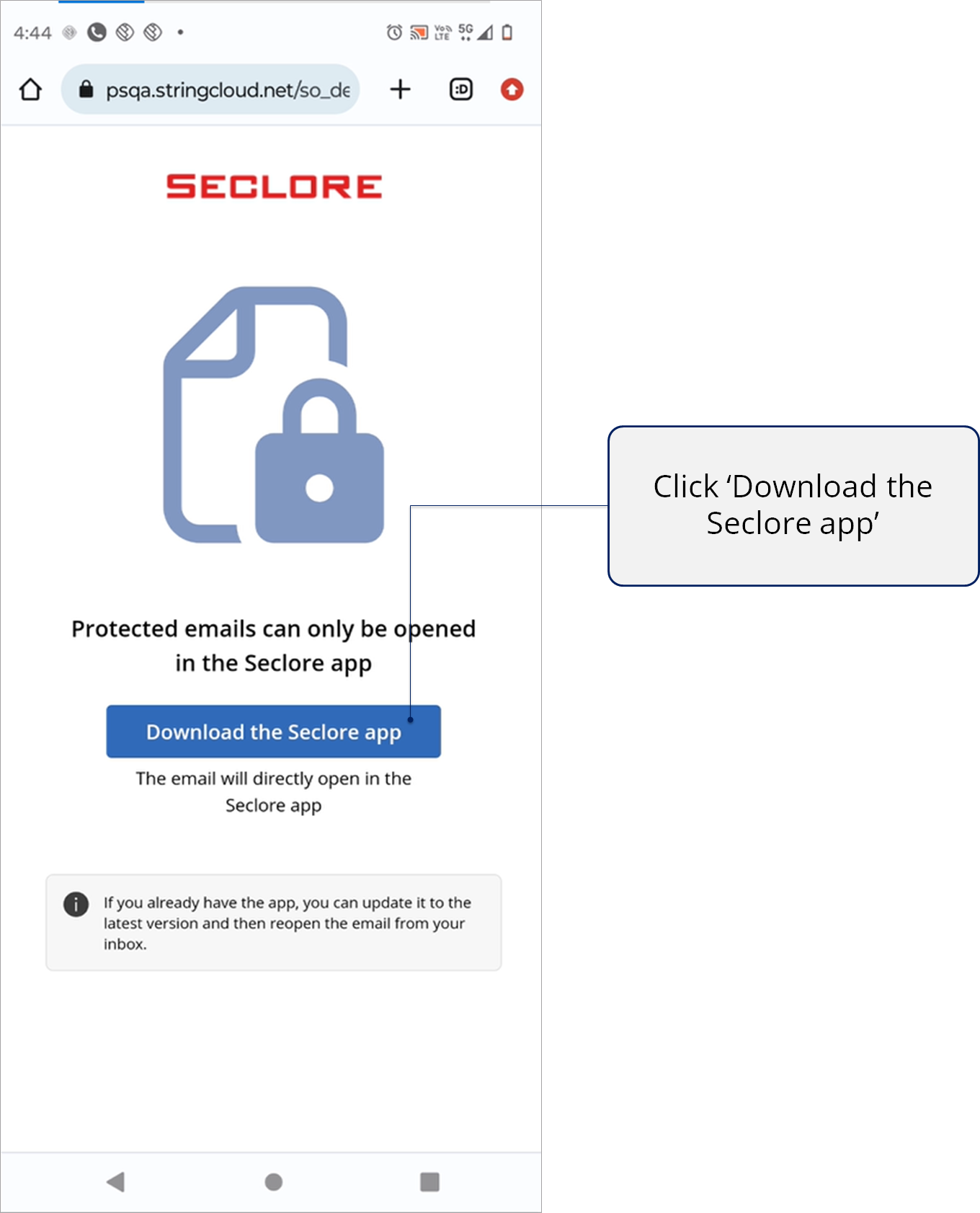
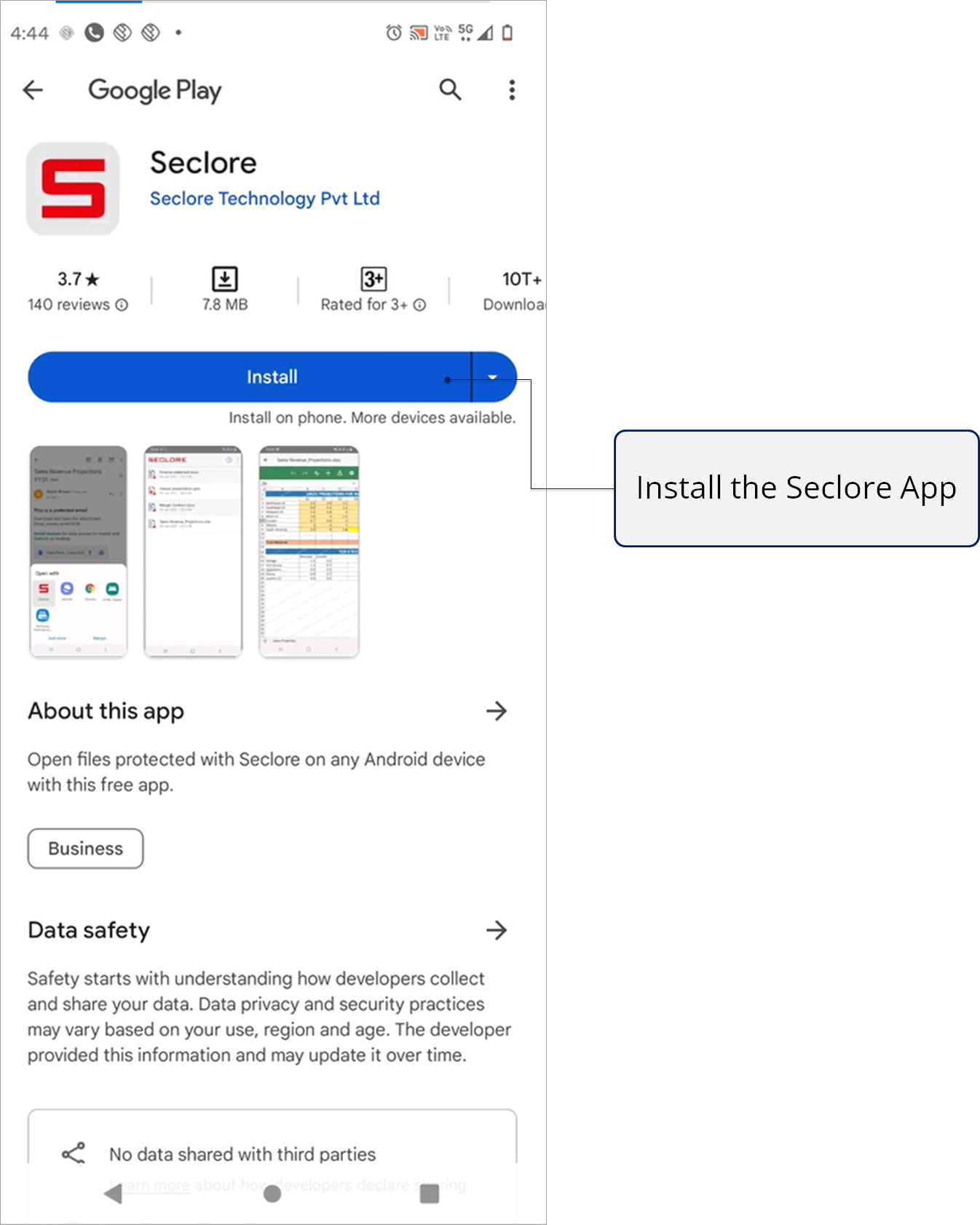
.png)
*Once the Seclore app is installed, the protected email will be opened directly in the app.
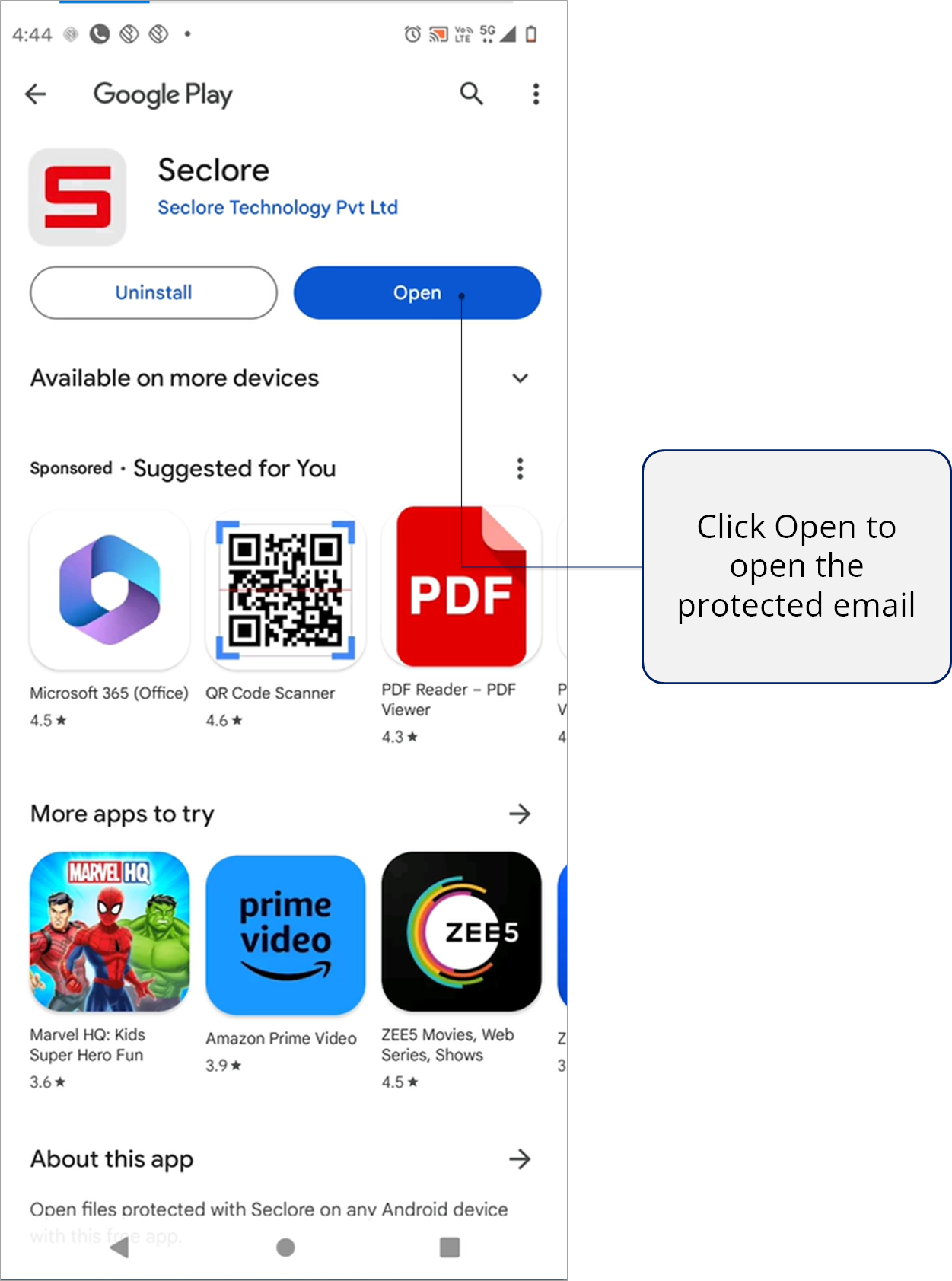
.png)
*If you have the Seclore app installed, the email will open directly in the app when you click on 'View Email'.
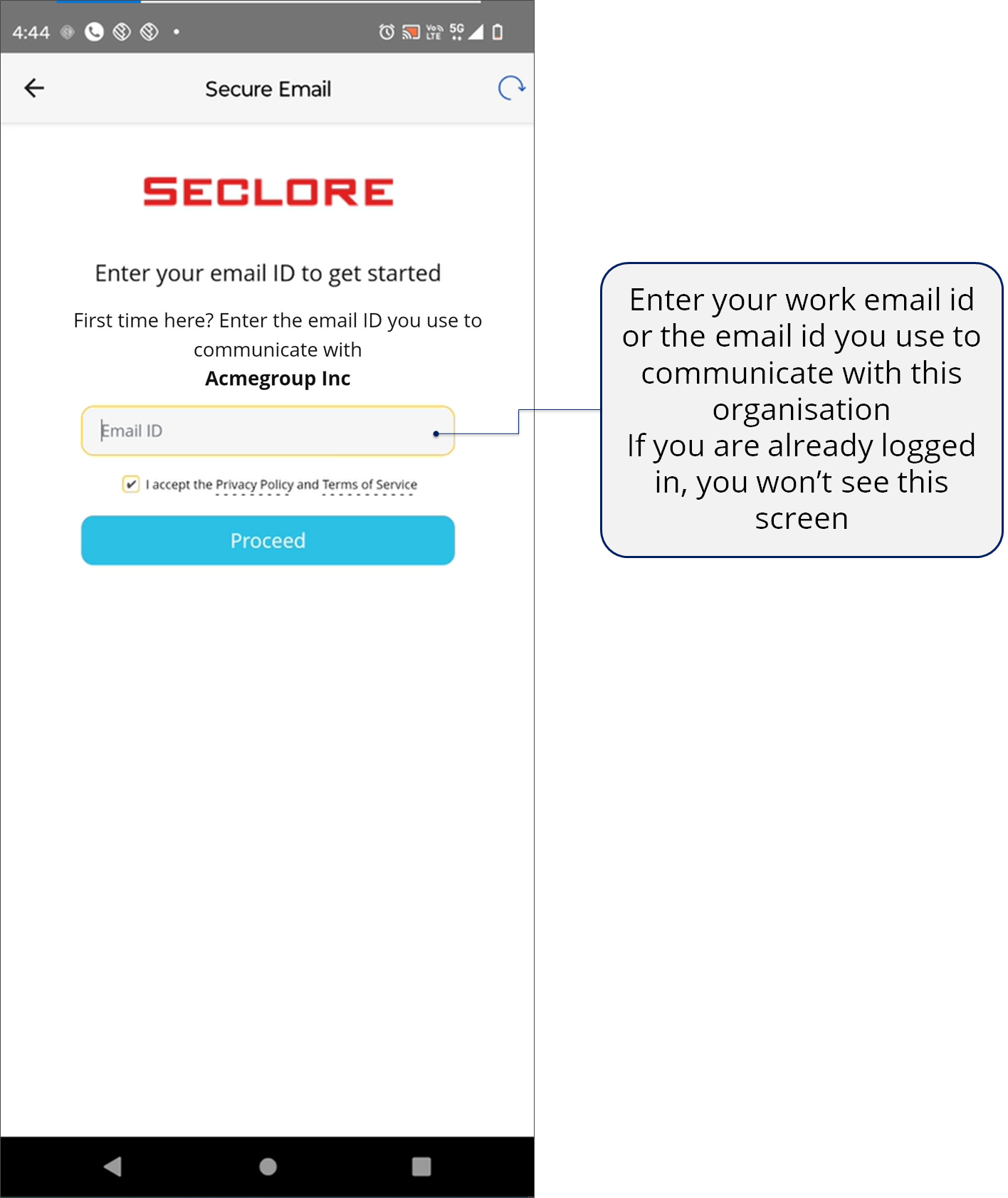
*You won't see the authentication page if you're already logged in to Seclore.
.png)
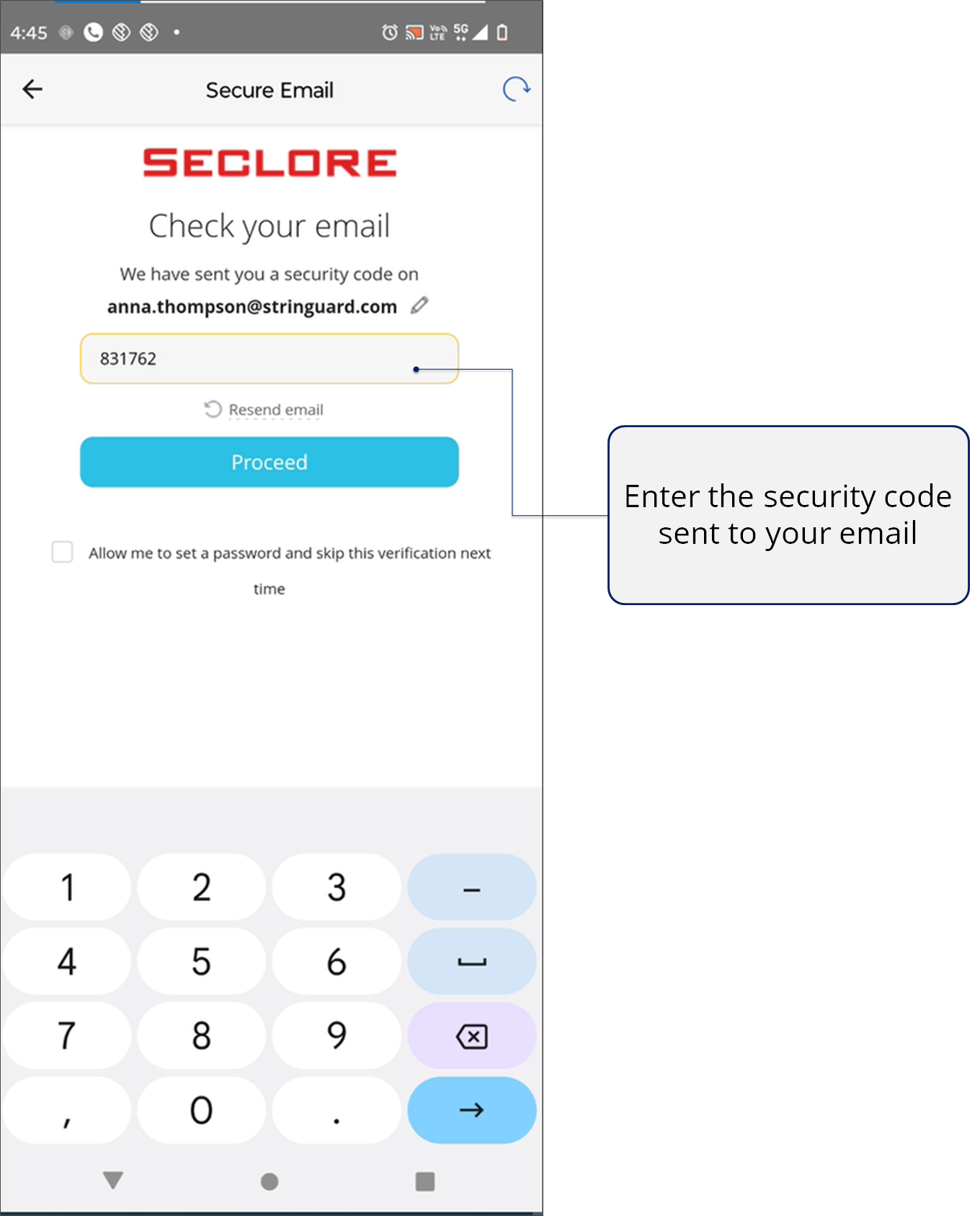
*You won't see the authentication page if you're already logged in to Seclore.
.png)
The email opens in Secure Email.
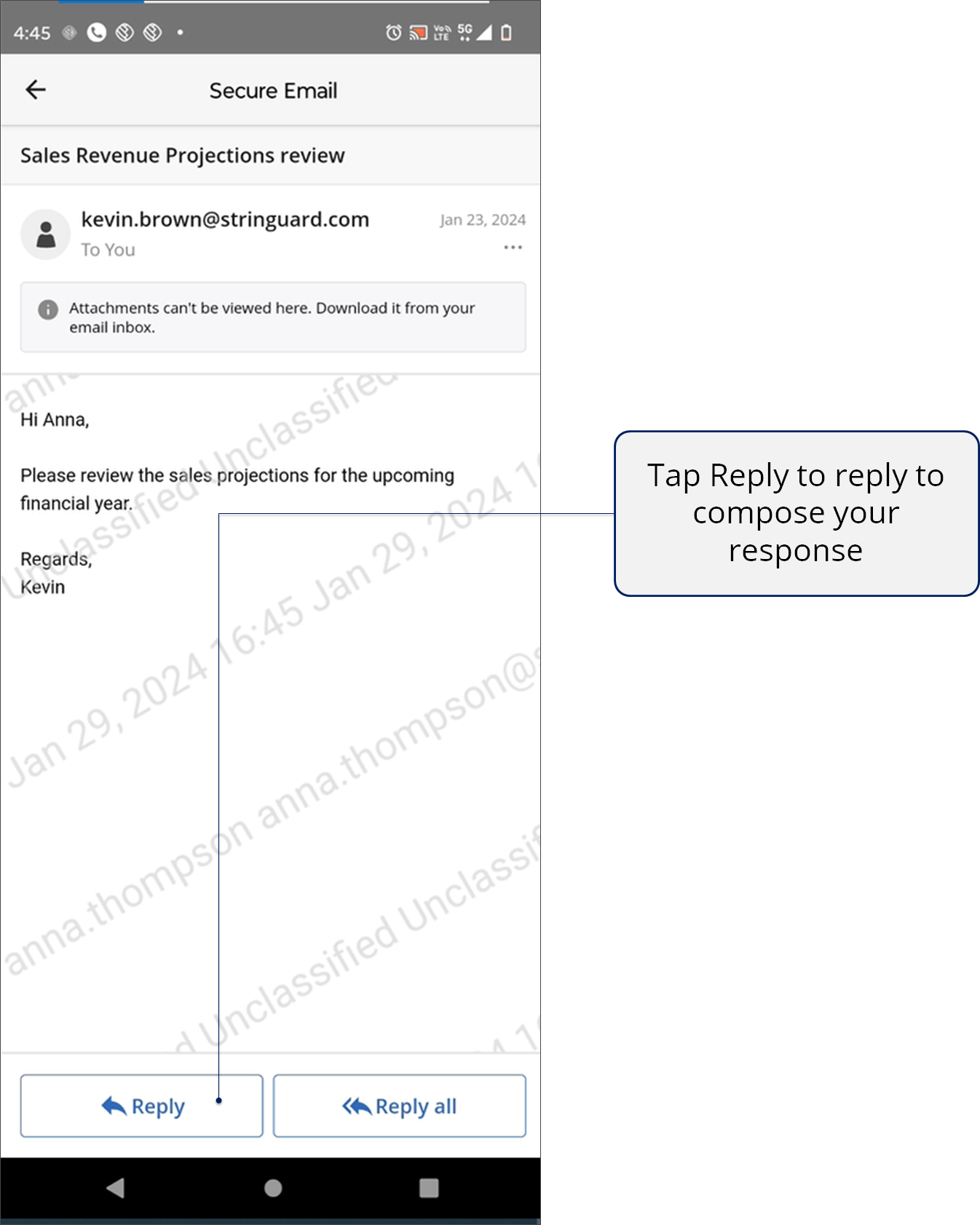
3.png)
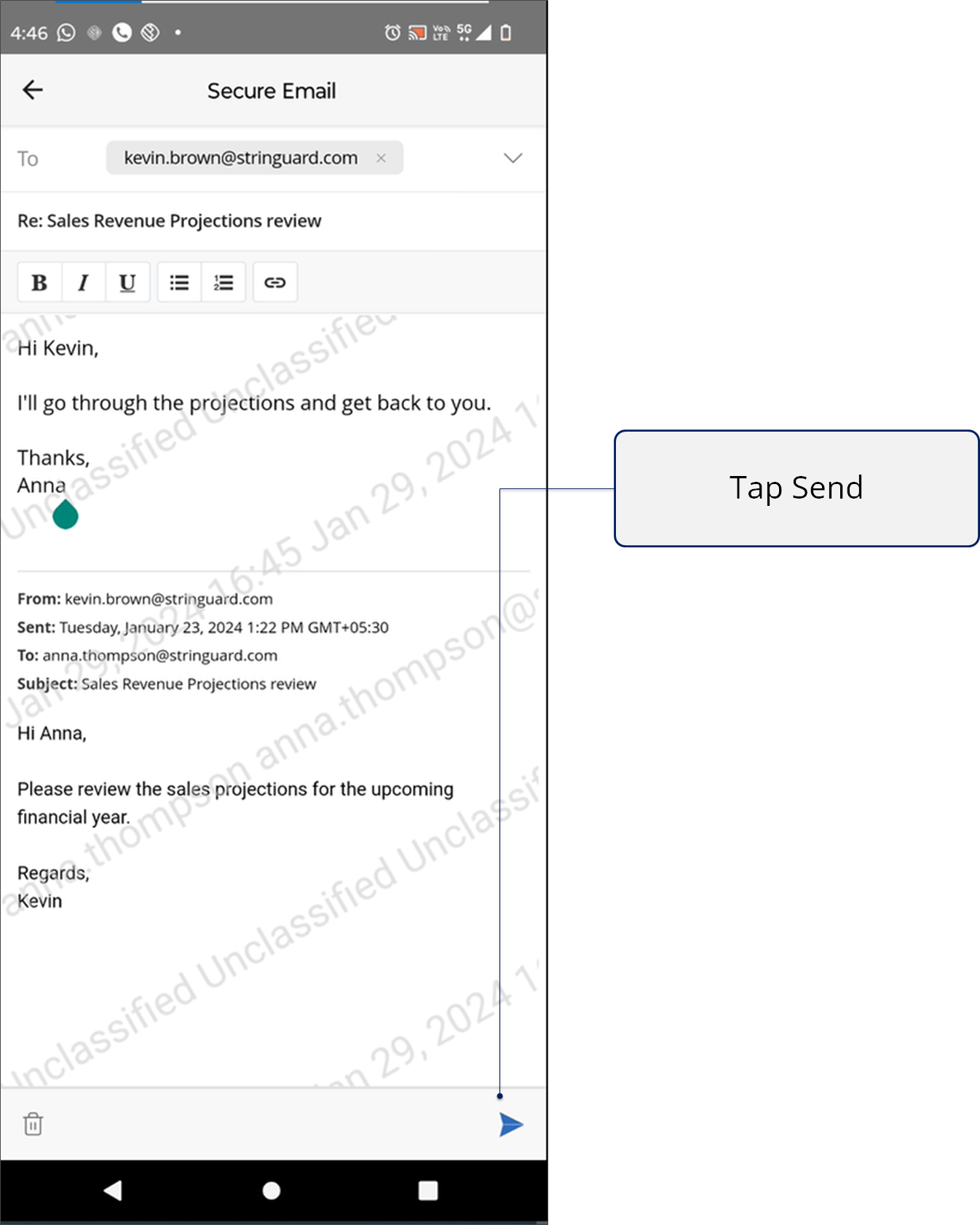
1.png)
You can also add attachments while replying to the protected email from your browser.
- When protected files are attached to the email, permissions will be shared via Smart Sharing if the user attaching the file has Share permission.
- System administrators can configure the permissions to be applied on unprotected files attached to protected emails on the Policy Server portal.
- If the permissions are not defined, users will get Full Control and Share permissions on the attachment.
- The file owner of these attachments will be the sender of the protected email.
.png)
Similarly, you can open classified emails in your mobile.
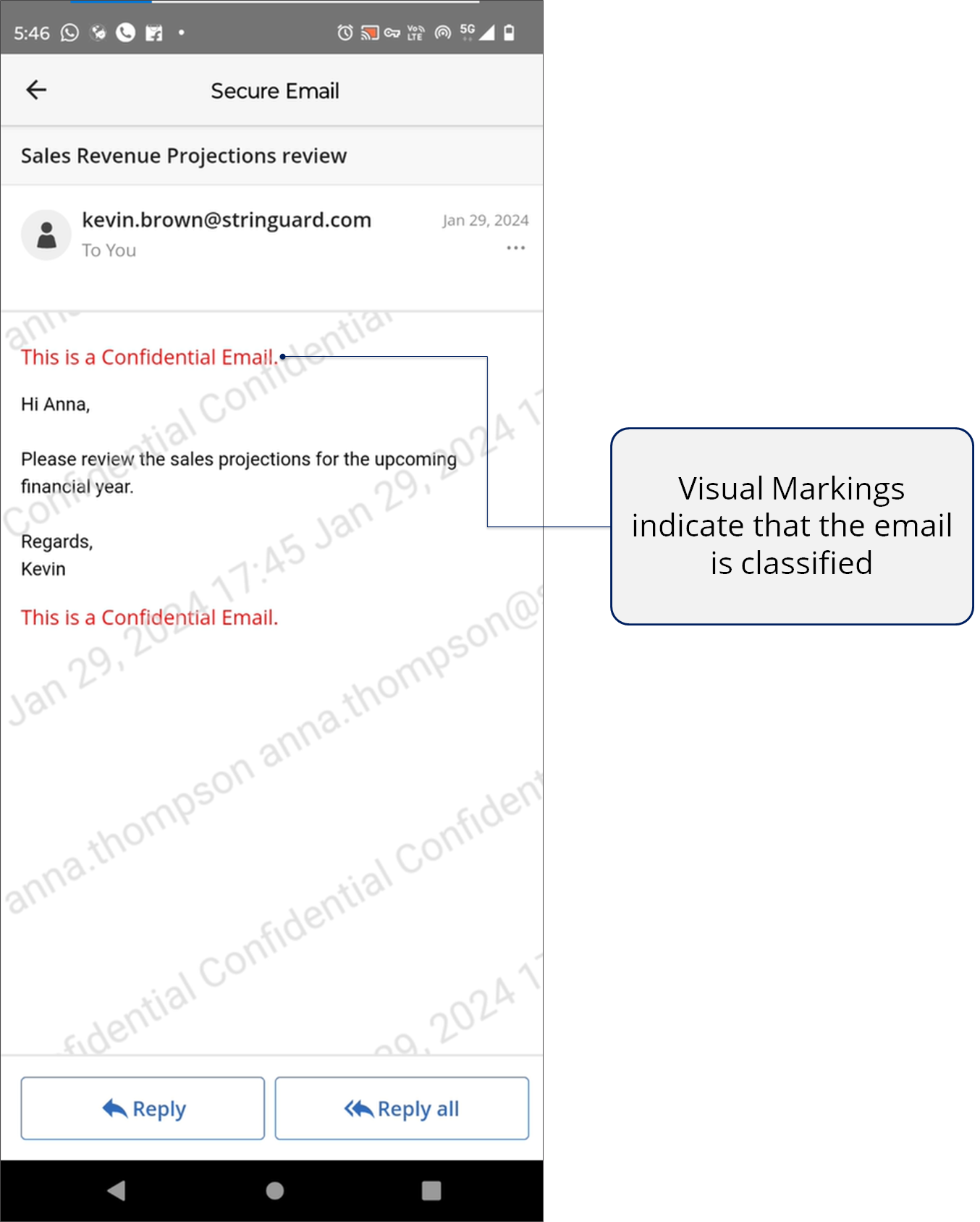

Accessing a Seclore file
What you need
- An Internet connection.
- The Seclore app installed on your Android phone or tablet. If you don't have the app, install it now.
- If you need help signing in, see Signing in to Seclore.
Step-by-step
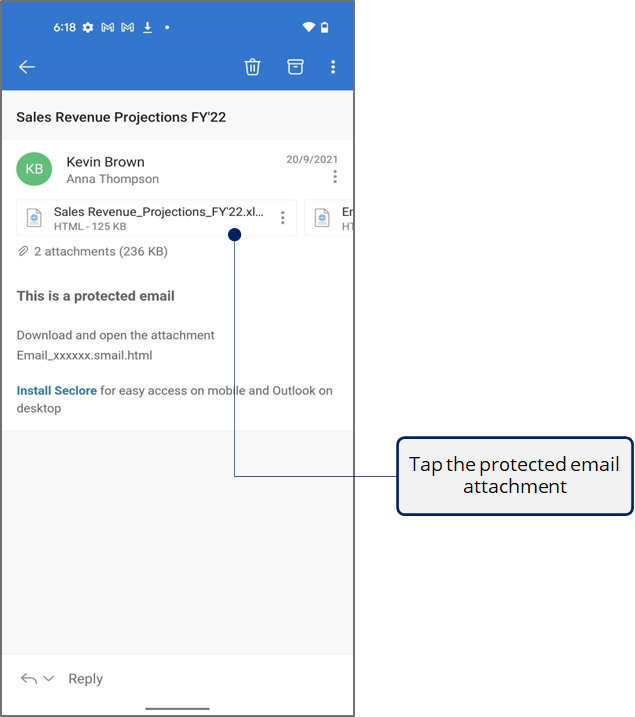
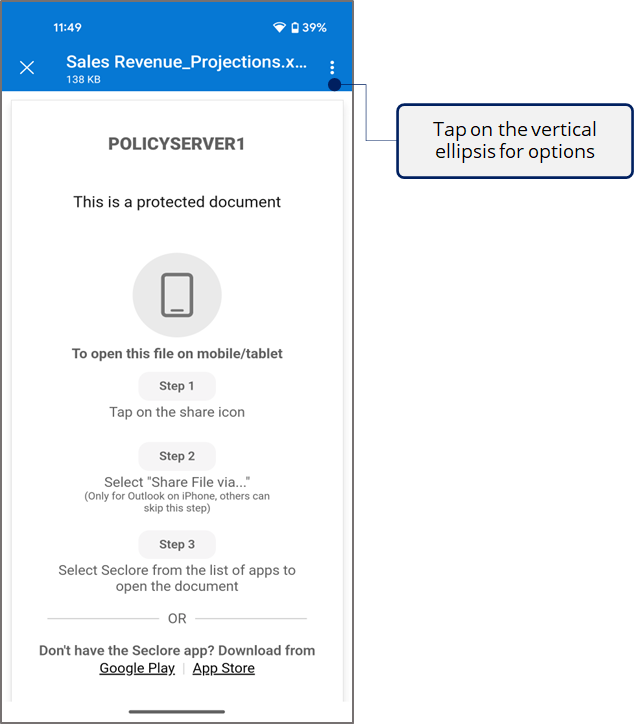
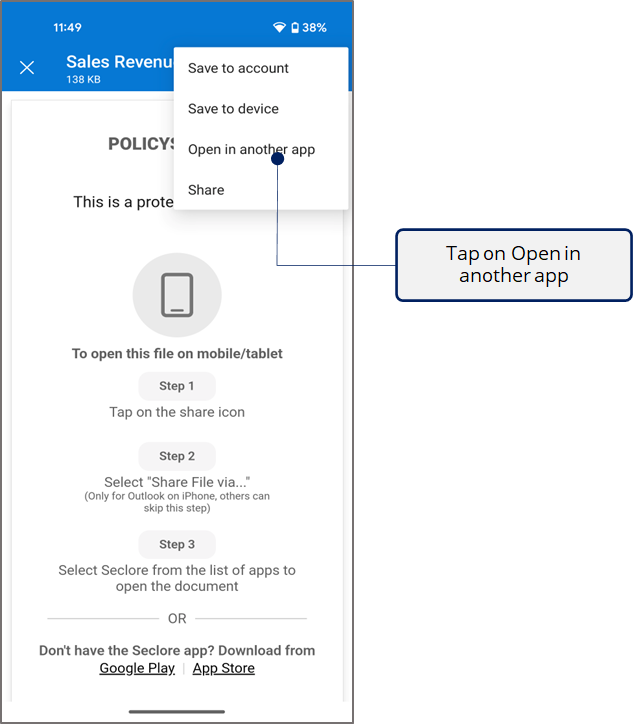

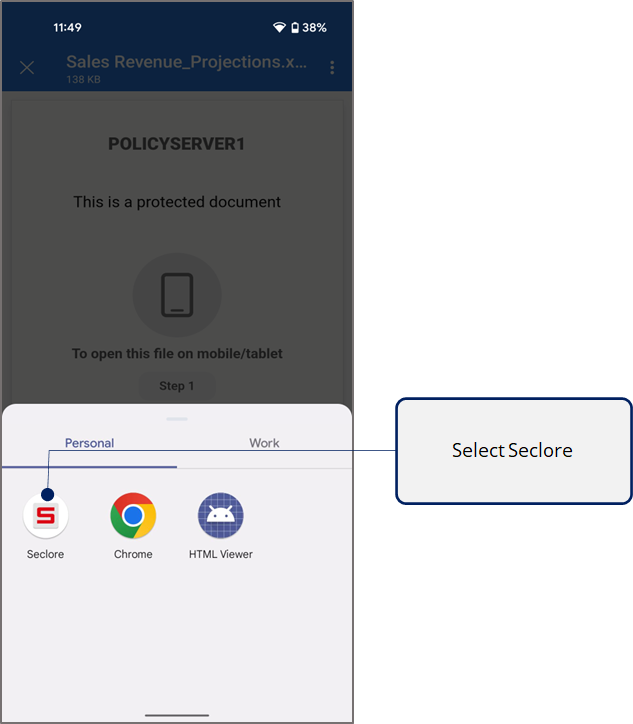

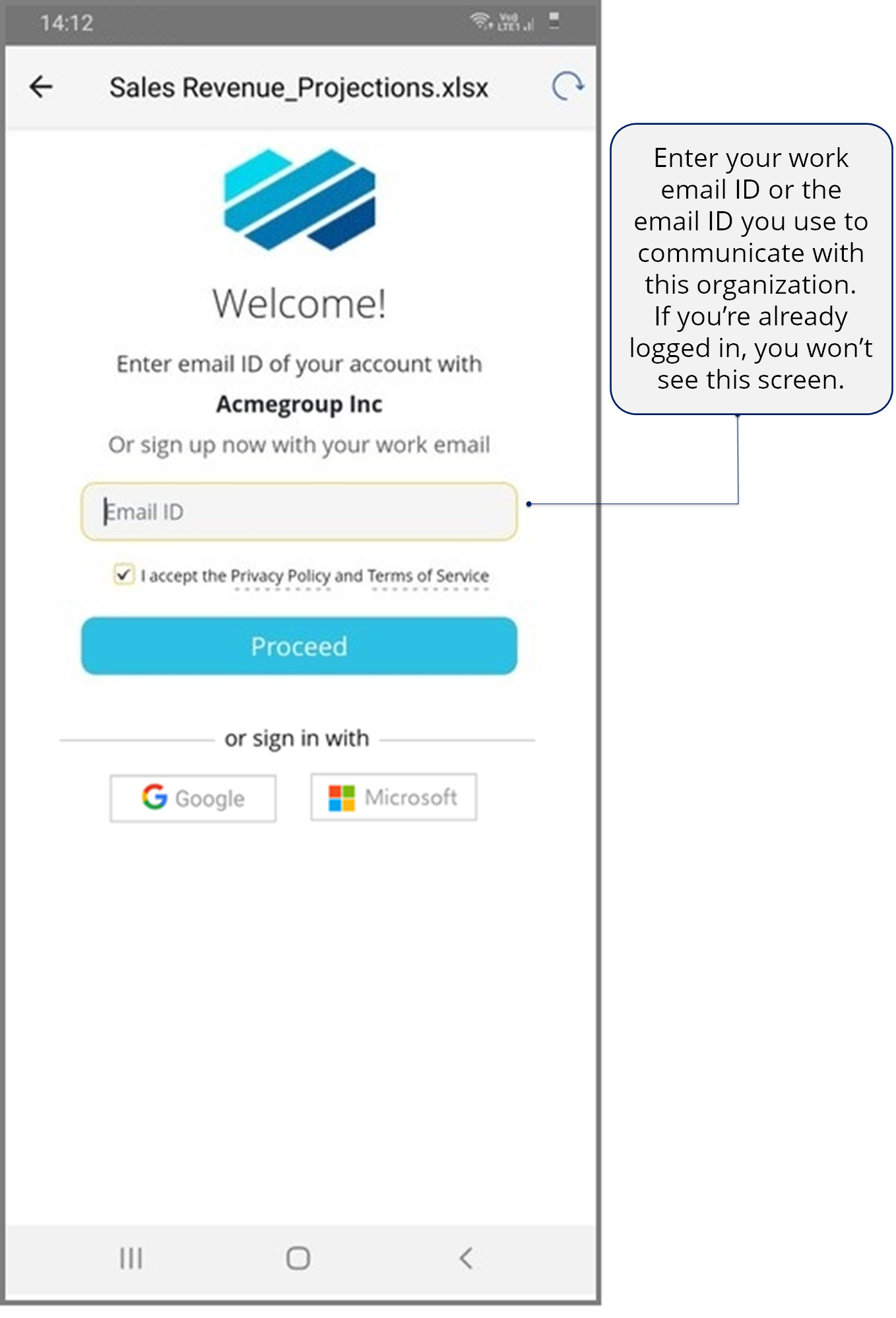
*You won't see the authentication page if you're already logged in to Seclore.